HP Blade-OA connect with AD by LDAP reference
1. Create OA Admins and OA Groups in AD.

OA Admins Group
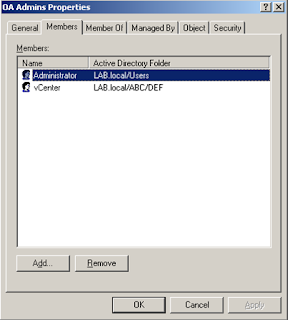
OA Operators

2. Write down user location in DN
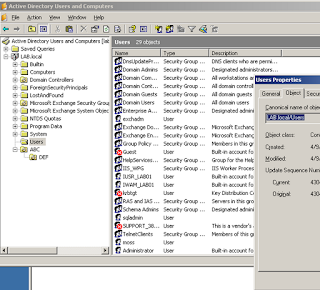
CN=users,DC=lab,DC=local

OU=DEF,OU=ABC,DC=lab,DC=local
3. Login OA, create Directory Group

4. Directory Settings, the Search Context refer to the location of the users in AD.

5. Test passed.

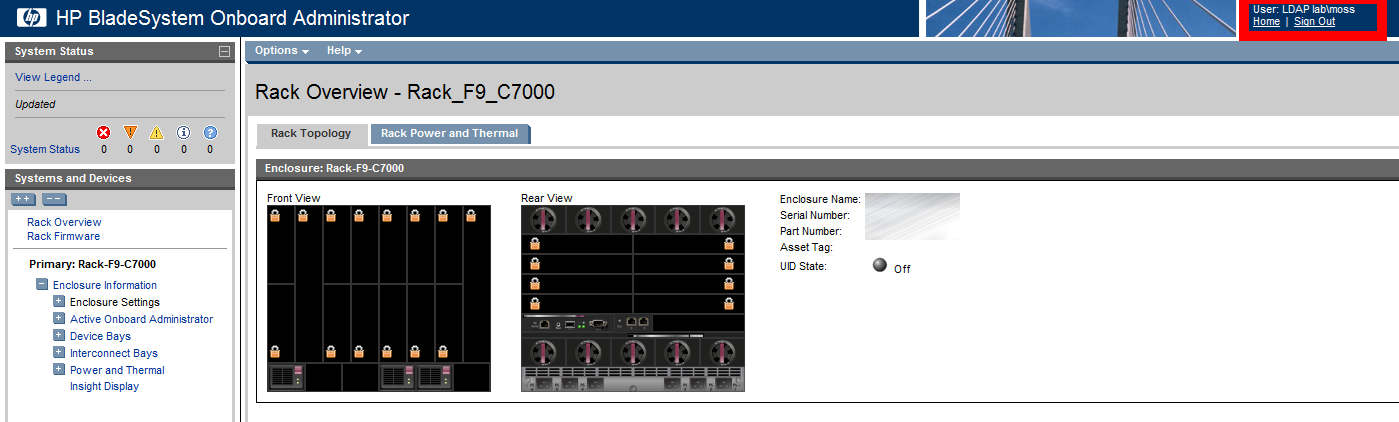
6. Login by LDAP


OA Admins Group

OA Operators

2. Write down user location in DN

CN=users,DC=lab,DC=local

OU=DEF,OU=ABC,DC=lab,DC=local
3. Login OA, create Directory Group

4. Directory Settings, the Search Context refer to the location of the users in AD.

5. Test passed.

6. Login by LDAP


Comments